Introducing the Electron E1 EVK

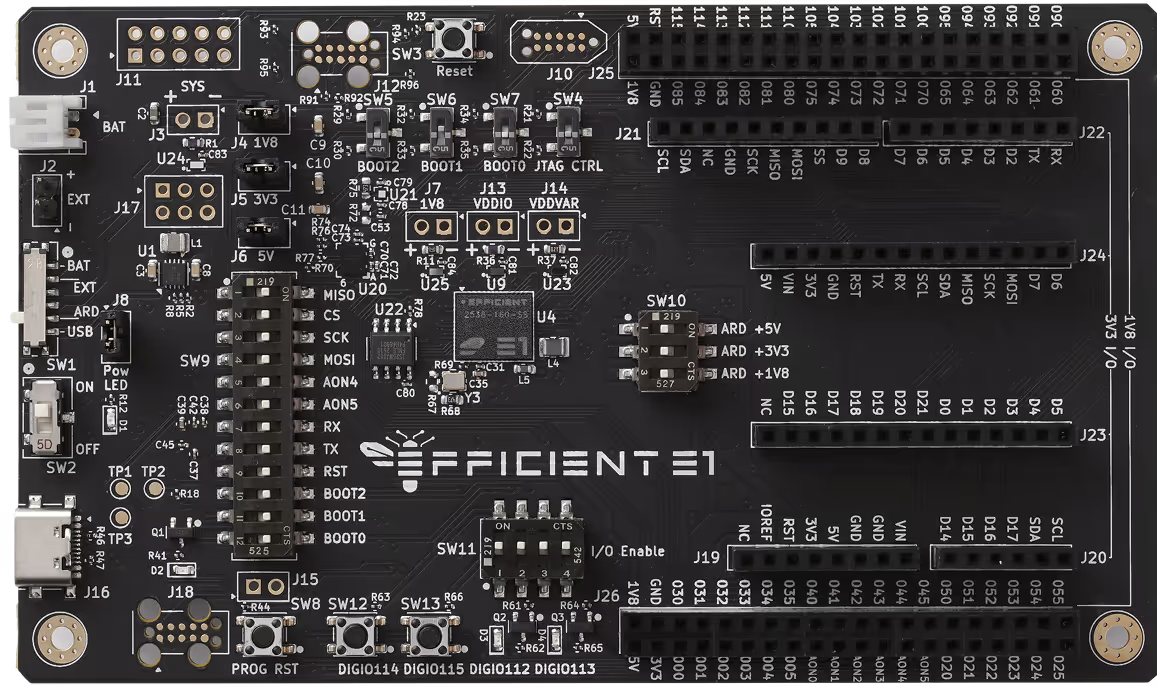
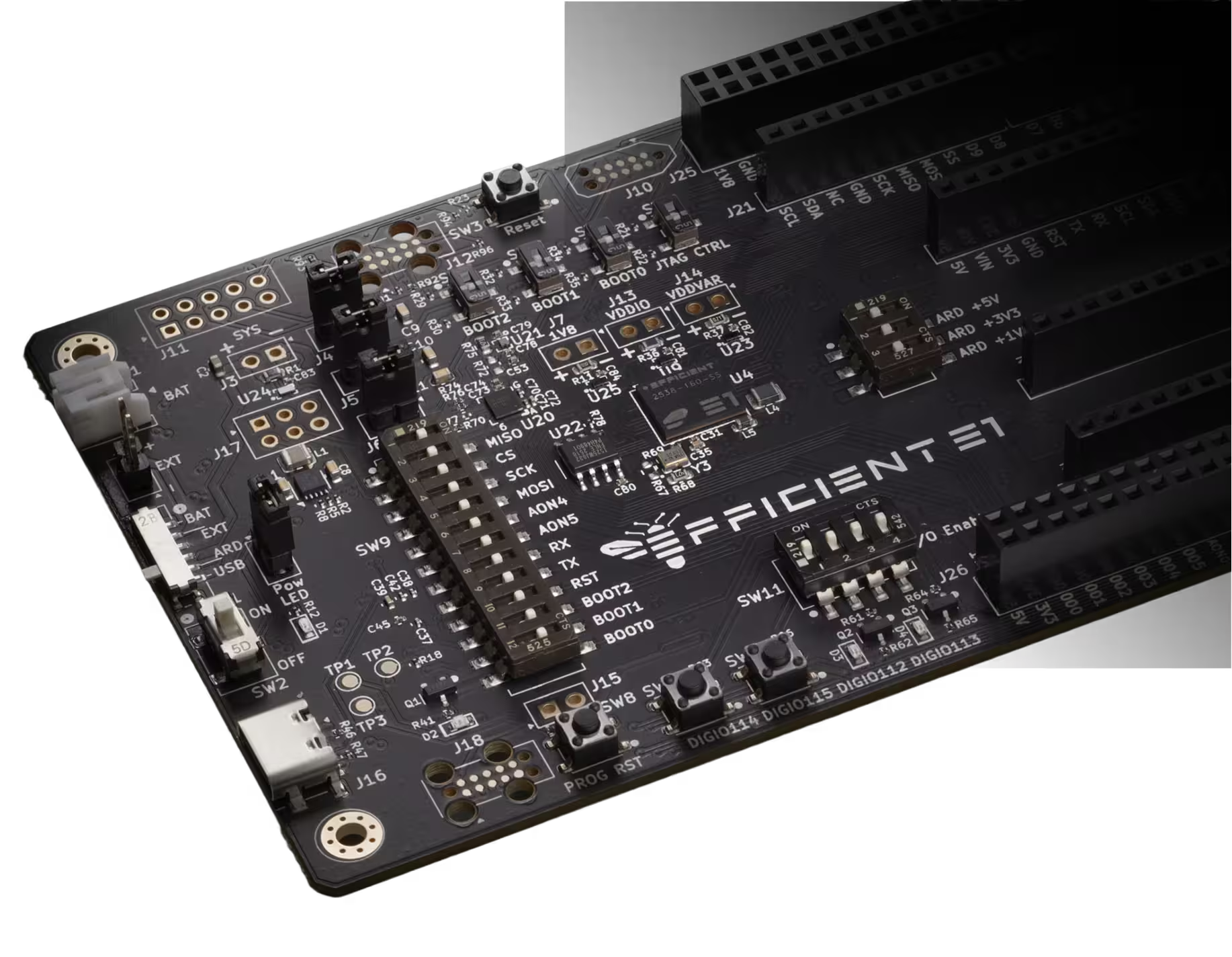
Unlock ultra-efficient innovation with the new Electron E1 EVKs—ready-to-use platforms for building, testing, and optimizing on the Electron E1 processor.
Request Information

Name

Company

Business Email

Interest

Select

Product Application

Select
Thank you! Your submission has been received!
Oops! Something went wrong while submitting the form.

When energy is no longer the tradeoff, what will you create?

The Electron E1 is powered by our Fabric architecture, a spatial dataflow design that eliminates the bottlenecks of traditional step-by-step execution. Developers still get the familiar programming experience they expect—but with dramatically higher energy efficiency.

The E1 EVK is designed to make it as easy as possible to explore that potential. Whether you’re bringing up new firmware, running power characterization, or porting existing software, the EVK provides:

  • A plug-and-play development workflow

  • Built-in energy instrumentation

  • Arduino-compatible expansion

  • Multiple power options for real-world scenarios

  • A complete SDK and quick-start documentation

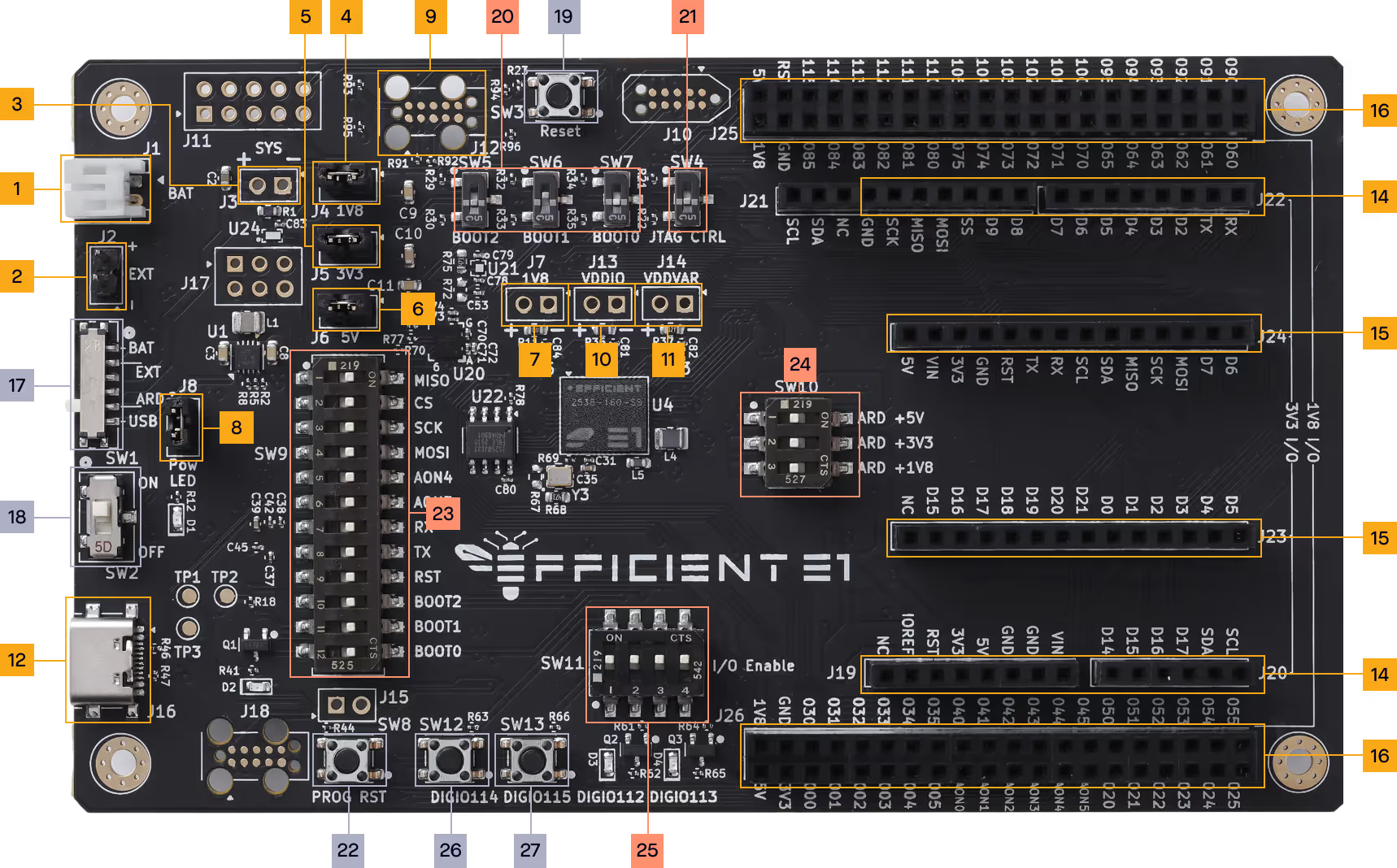
Electron E1 EVK Jumper/Switch Map

Jumper/Switch Positions and Configurations

Component Position Description
J1 1 Battery connector.
J2 2 External power connector.
J3 3 Parallel connection for SYS shunt resistor.
J4 4 Jumper connecting the 1V8 power supply to the E1 hardware and headers.
J5 5 Jumper connecting the 3V3 power supply to the E1 peripherals and headers.
J6 6 Jumper connecting the 5V0 power supply to the E1 peripherals and headers.
J7 7 Parallel connection for 1V8 shunt resistor.
J8 8 Jumper enabling power on LED.
J12 9 Debug interface to E1 chip.
J13 10 Parallel connection for VDDIO shunt resistor.
J14 11 Parallel connection for VDDVAR shunt resistor.
J16 12 USB connector to the programmer and (optionally) power delivery.
J17 13 Pin header to expose programmer interface.
J19, J20, J21, J22 14 Arduino UNO shield headers.
J23, J24 15 Arduino MKR shield headers.
J25, J26 16 E1 GPIO headers.
SW1 17 Power source selection.
SW2 18 Power on/off switch.
SW3 19 E1 reset button.
BOOT2, BOOT1, BOOT0 20 Boot mode select switches.
JTAG CTRL 21 JTAG interface select.
SW8 22 Programmer reset.
SW9 23 Programmer/E1 interface.
SW10 24 Arduino power domain enable.
SW11 25 User I/O interface.
SW12 26 User button 1.
SW13 27 User button 2.

Product Documentation

Want more details about the Electron E1 processor?

Latest Resources

Stay Updated with Latest Articles

Efficient Computer Logo on a grey backgroundEfficient Computer logo on a dark background

Press

Efficient Computer Launches Electron E1 Evaluation Kit to Accelerate Energy-Efficient Computing

New ready-to-use platform enables developers to build the next generation of intelligent devices and applications unconstrained by power 

Efficient Computer Logo on a grey backgroundEfficient Computer logo on a dark background

Blog

Introducing the Electron E1 Evaluation Kits: A New Era of Ultra-Efficient Computing

By: Adam Kaufman, Director of Product Marketing

Efficient Computer Logo on a grey backgroundEfficient Computer logo on a dark background

Blog

Why “Low Power” Solved Yesterday’s Problems — and Efficient Performance Solves Tomorrow’s

By: Adam Kaufman, Director of Product Marketing

View more